
How to design in ChatGPT and Claude, and get a layered file back
September 27, 2026 · 10 min read
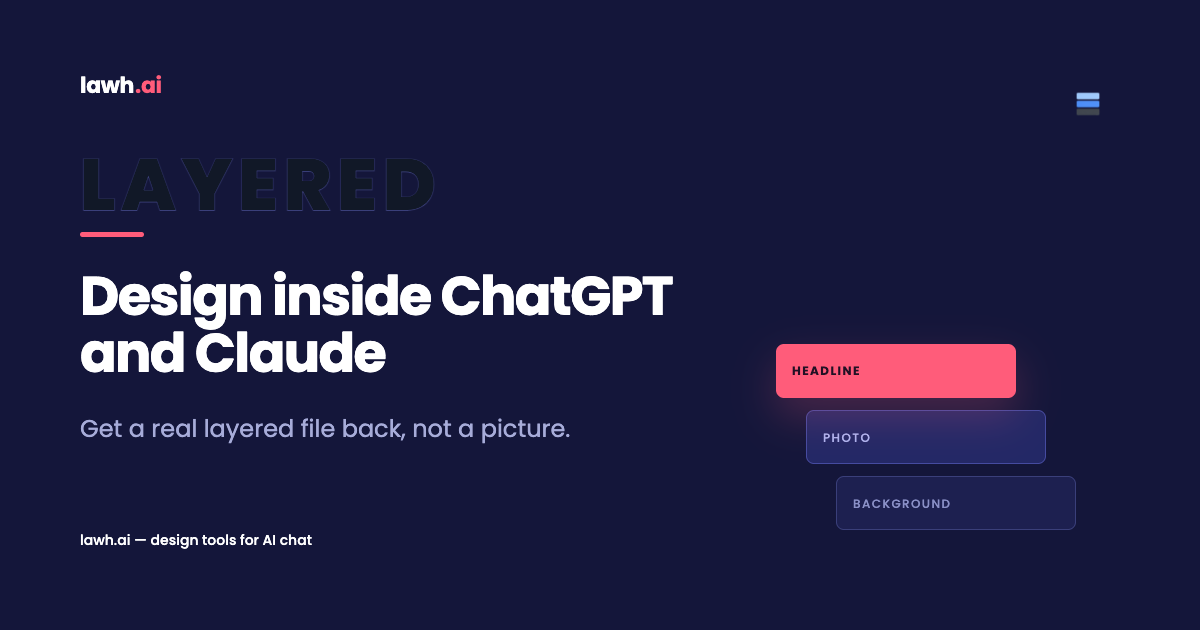
You can now design in ChatGPT without leaving the conversation you already have open. Lawh.ai runs as an app inside ChatGPT and as a connector inside Claude. What comes back is not a picture of a design. It is the design itself: separate layers, live text you can retype, colours you can change, and a file that opens in Photoshop or Illustrator.
That difference sounds small until you try to change a price. This guide covers what the integration does, how to set it up in both assistants, what to ask for, and where the approach still has edges. If you have ever asked an assistant for a poster and then quietly rebuilt it by hand, this is for you.
What it means to design in ChatGPT and get a real file
When you design in ChatGPT with Lawh connected, the work is split between two systems, and each one does the part it is good at.
The assistant does the designing. It reads your brief, decides what the piece should say, picks a hierarchy, chooses a palette, and describes the structure: a headline here, a product shot there, a price badge in the corner. That is judgement work, and a language model is genuinely good at it.
Lawh does the pixels. It measures every string in the real typeface at the real size, computes the layout from those measurements, and refuses to ship a heading that overflows its box. It checks contrast. It checks that nothing collides. Then it writes a document into your account with one layer per element.
The reason to split it that way is that layout is arithmetic, not taste. A model guessing at coordinates produces text that clips and captions that sit on top of faces. A model declaring intent, with an engine doing the measuring, produces something you can actually send to print.
So the answer to the obvious question - can I edit it afterwards - is not "you can regenerate it and hope". Every heading is a text layer. Every colour is a fill. Every image sits on its own layer with its own transform.
Why an image generator is not a design tool
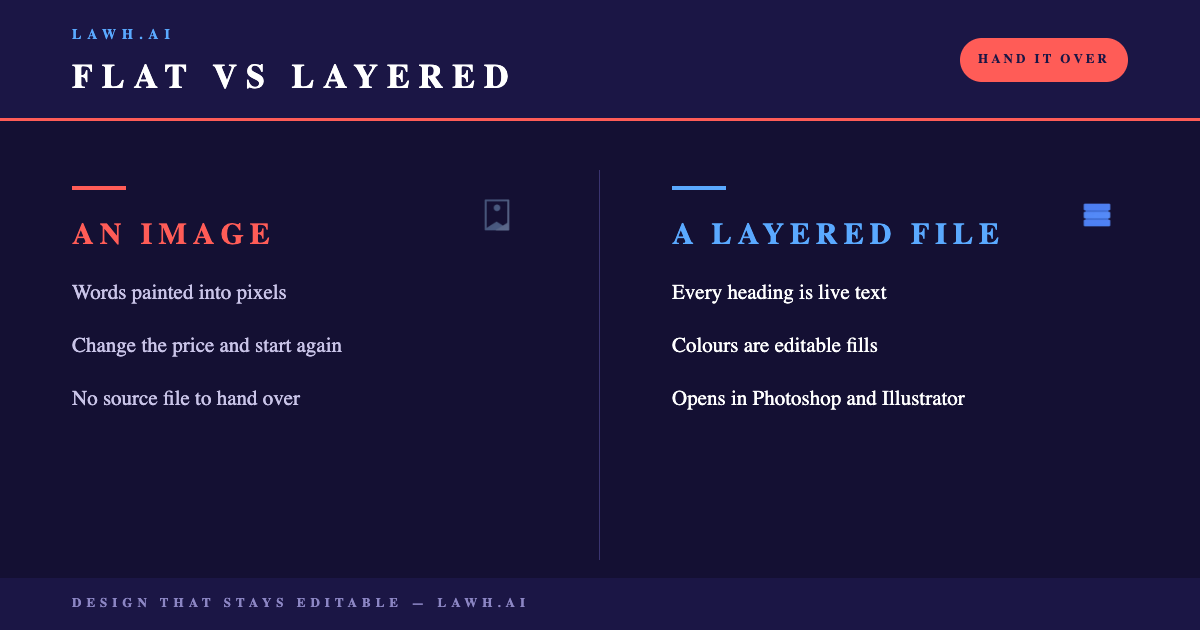
Ask any assistant for a poster today and you get a raster image. It can be a beautiful raster image. It is still a wall of pixels.
Three things break at that point, and they break on every project rather than the awkward ones.
- You cannot change the words. The copy is painted in. Correcting a typo means generating again and accepting a different design.
- You cannot hand it over. Printers, agencies and brand teams ask for a source file. Adobe's own file format documentation exists because the industry runs on layered formats, not on flattened exports.
- You cannot version it. The second size, the second language and next month's price are all fresh generations rather than edits.
Text is where this hurts most. A generated poster gets the letterforms approximately right, which is worse than getting them wrong, because the mistakes survive a glance and die in proof. Arabic suffers badly here, since joining and shaping have to be exactly right or the word is not the word.
A layered document sidesteps all of it. The text is text, set in a real font, at a size the engine measured. The design can be reopened in a year and changed in a minute.
How to design in ChatGPT: the three-step setup
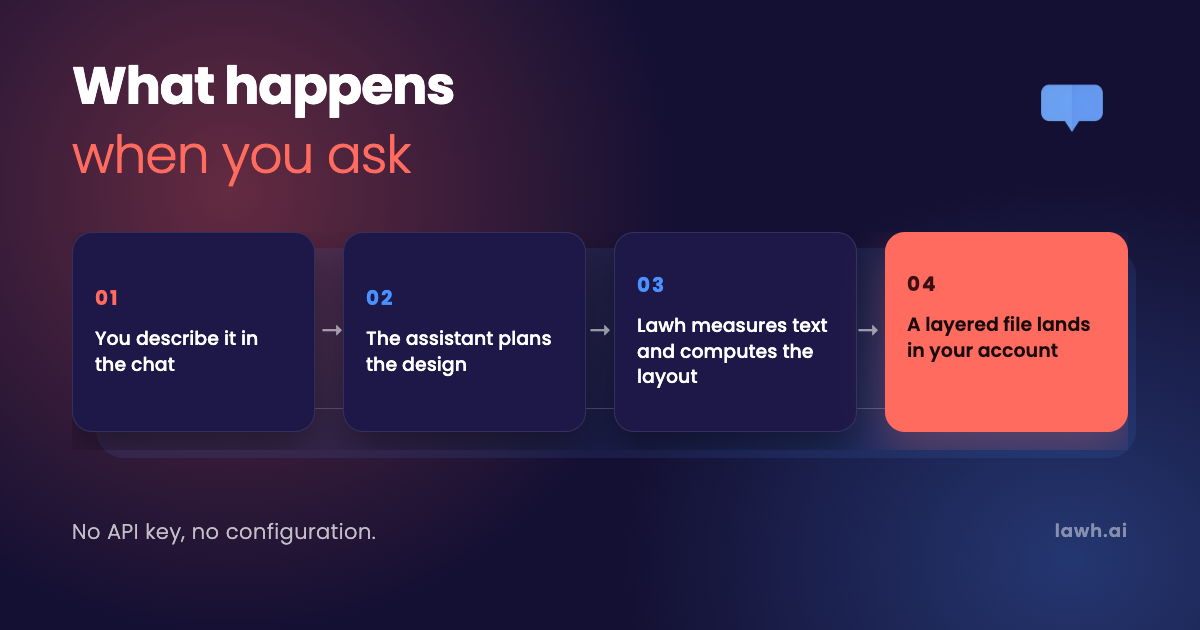
To design in ChatGPT you connect the Lawh app once. Setup takes about a minute and does not involve an API key.
- Open the Lawh app in ChatGPT from the link on our home page.
- Sign in to your Lawh account once, and approve the connection.
- Ask for a design in any chat.
The app stays connected afterwards, so the second design is one sentence rather than three steps. Apps in ChatGPT are built on OpenAI's Apps SDK, which is the mechanism that lets a chat call out to a service you have authorised and show the result inline.
A worked first request, if you want one to paste:
Make an Instagram post announcing 40% off this weekend for a streetwear shop. Dark background, one bold headline, our logo top-left. The copy is "40% OFF" and "This weekend only".
You get a reply describing what was built, a preview, and a link into your Lawh library. From there you can keep talking. "Make the headline bigger and try it on cream" is a normal second message, and it edits the design rather than replacing it.
One detail worth knowing: designs made this way do not spend your Lawh AI credits, because the assistant did the generating. You are paying for the chat you already pay for.
How to do the same thing in Claude
Claude reaches Lawh over MCP rather than through an app listing, so the setup is a URL instead of a link.
- In Claude, open Settings, then Connectors, then Add custom connector.
- Paste
https://lawh.ai/api/mcpand press Connect. - Sign in to Lawh and approve the permissions.
MCP is the Model Context Protocol, an open standard published by Anthropic for exactly this problem: letting an assistant use a tool that lives somewhere else, with the person authorising it rather than a key being pasted around in plain text.
Practically, the experience matches ChatGPT closely. Same brief, same layout engine, same account, same layered file at the end. A design started in one assistant can be finished in the other, or in the browser editor, because the document lives in your library rather than in the conversation.
Our connector setup guide has the screenshots, plus what to do if your workspace administrator has custom connectors locked down.
What to ask for when you design in ChatGPT
The briefs that work when you design in ChatGPT read like briefs, not like prompts. Brief it the way you would brief a designer. The details that help are the ones a designer would ask for anyway.
- What it is for. An Instagram post, a business card, a shelf card, a conference announcement, a menu insert. Format implies size, and size drives everything else.
- The actual words. This is the single biggest quality lever. Briefs that include the exact copy produce noticeably better results than briefs that describe it, because the engine measures your real strings rather than guessing at their length.
- Constraints that matter. The palette, the typeface, where the logo sits, what must not move, what has to stay legal.
- The language. Arabic and English are both first-class, and right-to-left layouts mirror properly.
What you can skip is pixel direction. You do not need to say "48pt, 60px from the top". The engine owns those numbers, and overriding them by hand is how text ends up clipped.
Iteration is conversational. Ask for a warmer palette, a shorter headline, a second size for stories, or the same layout in Arabic. Each one is an edit to the existing document. If you would rather start from something proven, the template library is reachable from the chat too, and filling a template is usually faster than describing one.
What lands in your Lawh account
A document, in your library, that you own and can take with you.
- PSD with every layer separate and the text still editable as text.
- Illustrator (.ai) with live type and vectors rather than outlines.
- PNG and JPG at whatever size you need, for the cases where a flat export is the point.
- PDF for print handoff.
The browser editor is there when you want to nudge something by hand. Move a layer, swap a photo from your media library, change a fill, retype a line. Nothing about having started in a chat locks you into finishing there.
Generated photography is handled the same way. When a design needs a picture that does not exist yet, it is produced, cut out where a cutout is right, and uploaded into the design's own media folder. It arrives as an image layer with a transform, not as a background baked into the canvas.
Everything is versioned, so an edit that went the wrong way is undone rather than regenerated.
Where this fits in a real workflow
The honest framing is that this replaces the first hour, not the whole job.
For a small team with no designer, it replaces most of the job. A shop owner describing a weekend promotion gets something on-brand and printable without opening a design tool at all, and the layered file means the one-off freelancer they hire later has something to work from.
For a team that does have designers, the value sits earlier. Three layout directions in four minutes is a better starting point than a blank artboard, and because the output is a PSD rather than a mood board, the chosen direction is picked up and finished rather than rebuilt from scratch.
The other case is volume. Twenty product cards that differ only in name, photo and price is exactly the work that templates plus a chat handle well: one approved layout, twenty filled instances, each still editable. Our worked examples go through a few of these end to end.
Where it is weakest is anything that is mostly illustration, or anything where the idea itself is the deliverable. A layout engine is very good at arrangement and has no opinions about concept.
A worked example, brief to export
Here is one run end to end, so the shape of it is concrete rather than abstract.
The brief, typed into a normal chat: "A shelf card for a coffee roaster. 105 by 148mm. The words are 'Ethiopia Guji', 'Peach, jasmine, black tea' and 'Roasted Tuesday'. Cream background, one accent colour, room for a small logo at the bottom."
The assistant answers with a plan before it builds: a stacked hierarchy with the origin as the headline, tasting notes as a lighter second line, the roast date small and dated-looking, and the logo anchored bottom-centre. Then it calls Lawh, which measures each of those strings in the chosen typeface at print dimensions, computes the stack, and reports back that nothing clips and contrast passes.
Two follow-ups, both one sentence: make the tasting notes italic, and try the accent in terracotta. Each one edits the same document. The layer names do not change, so the third version is still the first document.
Then the part that is the whole reason to design in ChatGPT this way rather than generating a picture: the export is a PSD with eight layers, three of them live text. The roaster changes the origin and the date every fortnight, in the browser editor, in under a minute, and never opens the chat again.
That last sentence is the test. If a design cannot be changed by someone who did not write the brief, it was never really finished.
Limits worth knowing before you design in ChatGPT
Four things are worth setting expectations on, because finding them mid-project is annoying.
Fonts. Designs are set in fonts available to the engine. If your brand runs on a licensed typeface, you upload it, and then it is used like any other. Asking for it by name without uploading it gets you a close substitute rather than the real thing.
Brand precision. Say the hex codes. An assistant told to use "our blue" will pick a blue, and it will be the wrong one often enough to matter.
Complex illustration. Arrangement is the strength. A piece whose value is an original illustration is still a job for an illustrator.
Review still applies. The engine catches overlaps, clipping and contrast problems automatically, and reports anything it could not fix. It does not catch a claim that is legally wrong or a price that is out of date. Read the thing before you post it.
None of these are reasons not to design in ChatGPT. They are the difference between a tool that works and a tool you expected to be magic.
Try it in the chat you already have open
Lawh.ai is the design engine behind both integrations. It measures your text in the real typeface, computes the layout from those measurements, checks contrast and overlaps before it ships, and writes a genuinely layered document into your account, exportable as PSD, AI, PDF or PNG. Connect it to ChatGPT or Claude in about a minute, describe the piece you need, and keep editing it in the chat, in the browser editor, or in Photoshop. The free plan is enough to see whether the output survives contact with your brand.
Frequently asked
- Do I need a Lawh account to design in ChatGPT?
- Yes, and the free tier is enough to try it. You sign in once when you connect the app, and after that the designs land in your library automatically.
- Does this use my Lawh AI credits?
- No. Designs created through ChatGPT or Claude do not spend your Lawh AI credits, because the assistant does the generating rather than our model. Generated photography inside a design is the one exception.
- Can I edit the design afterwards?
- Yes, in three places: by asking in the same chat, in the Lawh browser editor, or in Photoshop and Illustrator after exporting. The text stays text in all of them.
- Is the PSD a real layered file or a flattened image in a PSD wrapper?
- A real layered file. One layer per element, text layers that remain editable type, and images on their own layers with their own transforms.
- Does it work in Arabic?
- Yes. Arabic and English are both first-class. Right-to-left layouts mirror properly rather than being an English layout with Arabic pasted in, and the text is shaped and joined correctly.
- What is the difference between the ChatGPT app and the Claude connector?
- Only the setup. ChatGPT uses an app you open from a link; Claude uses a custom MCP connector URL. The capabilities, the engine and the output file are identical.