
Design in ChatGPT and Claude
Connect Lawh.ai to the assistant you already use and describe what you need. The assistant does the designing; Lawh measures the text, computes the layout, keeps anything from clipping, and saves a real layered file to your account — editable in the browser and exportable as a PSD.
Setup takes about a minute and needs nothing but a free Lawh.ai account. No API key, no configuration. Both hosts reach the same engine and the same library, so a design started in one can be finished in the other.
Setting it up in ChatGPT
1Open the Lawh app
Open the Lawh app in ChatGPT, then press Add.
2Sign in and approve
ChatGPT sends you to Lawh to sign in once, and asks you to approve access. The same permissions apply as below, and you can revoke them the same way.
3Ask for a design in any chat
The app stays connected afterwards, so the next design is one sentence. If ChatGPT does not reach for it on its own, name it — “use Lawh to make…” is enough.
Setting it up in Claude
Claude has no app listing for this, so it takes a server URL instead of a link.
1Open Connectors in Claude
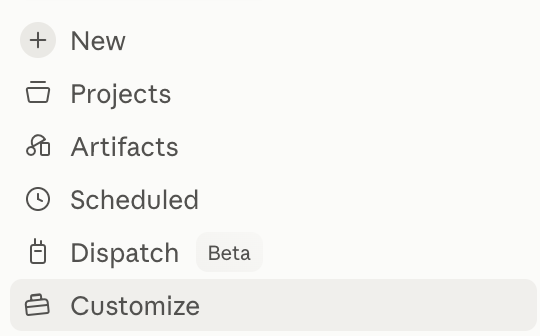
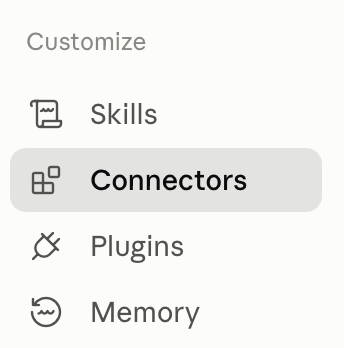
In Claude, open Customize in the sidebar, then Connectors.
2Add a custom connector
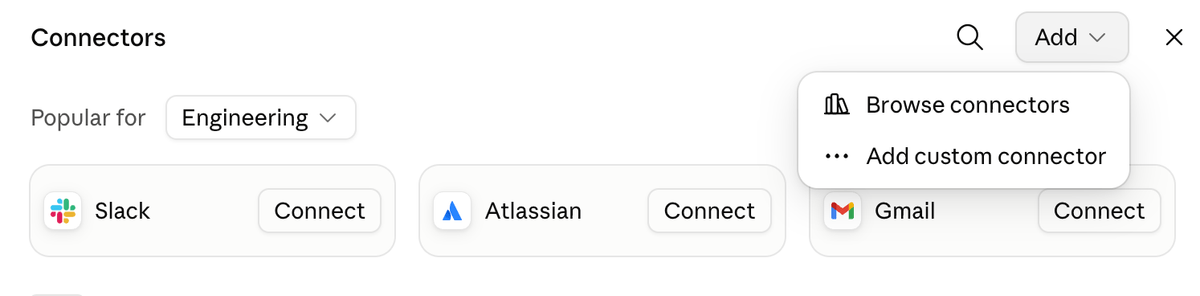
Press Add at the top right, then Add custom connector.
3Paste the server URL
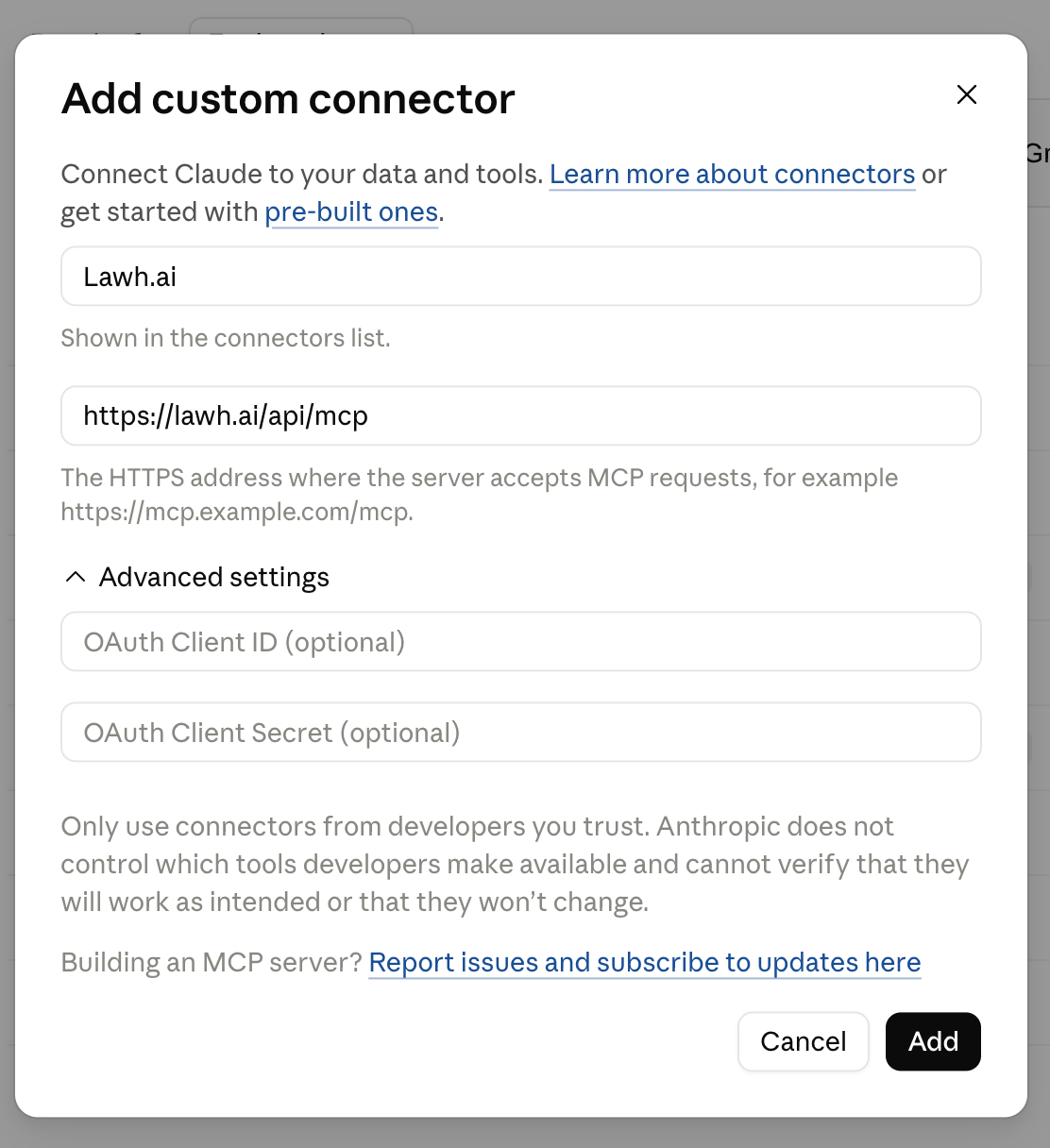
Name it anything you like — Lawh.ai is the obvious choice — and paste this as the URL:
https://lawh.ai/api/mcp
Leave the OAuth fields blank. The server registers Claude automatically, so there is no client ID or secret to find. Press Add, sign in to Lawh, and approve access.

4Turn it on in a chat
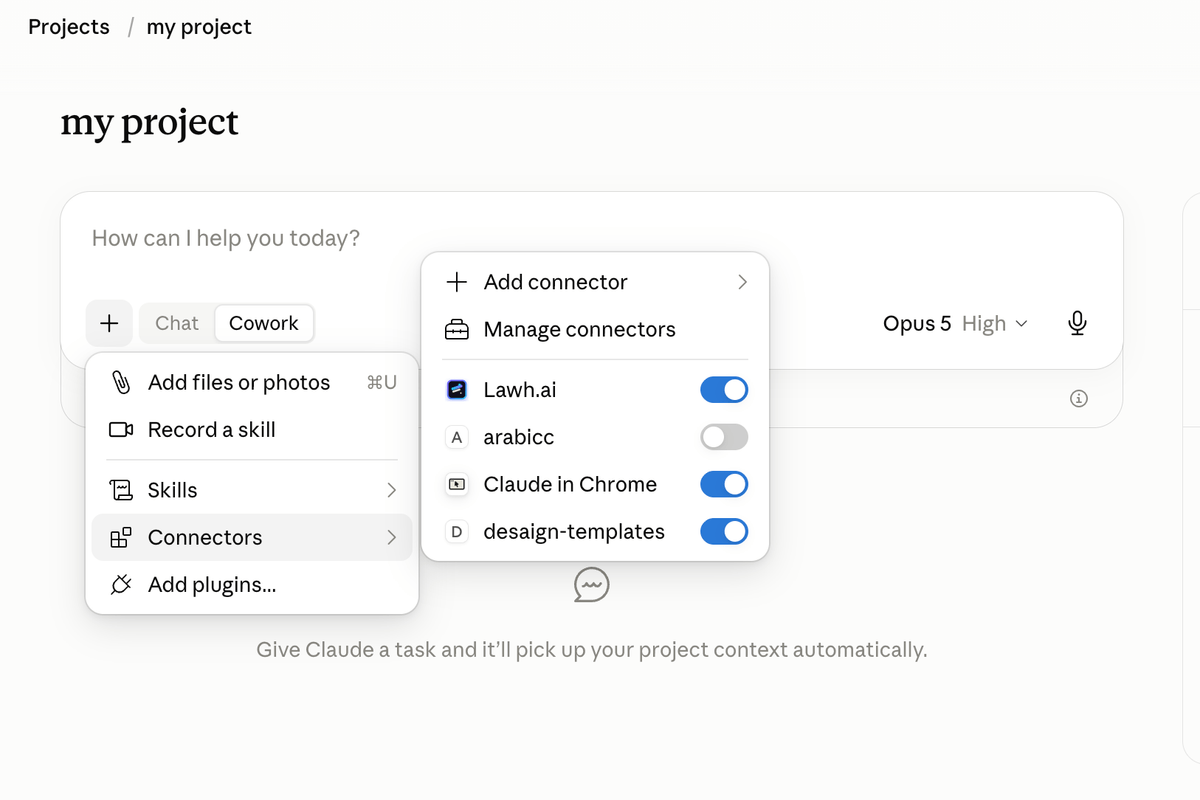
In any chat or project, open the + menu → Connectors and switch Lawh.ai on.
Using it
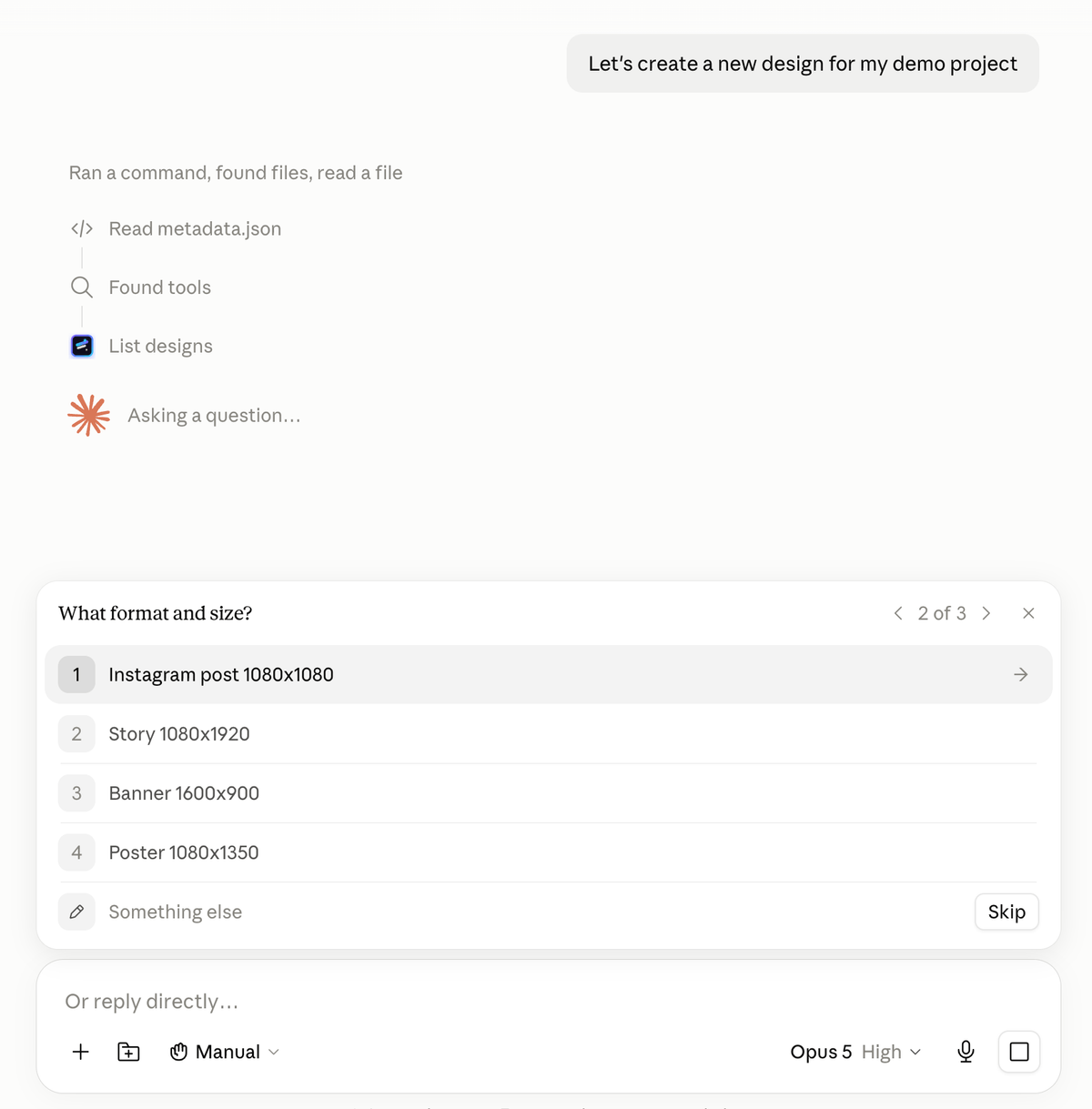
Everything from here is the same in both. Ask for what you want, and the assistant will usually check a few things first — what the design is for, the format and size, the visual direction — then build it. The screenshots below are from Claude; ChatGPT shows the same cards.
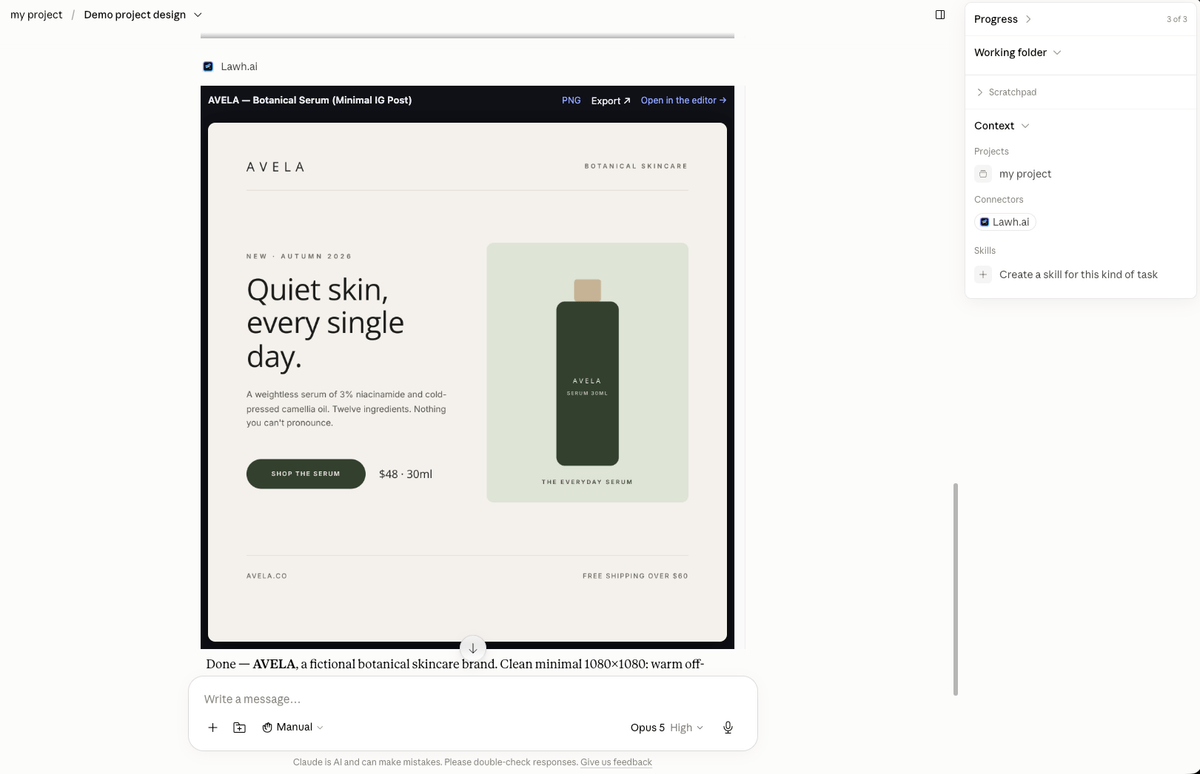
The finished design comes back as a card, with the file already saved to your Lawh account.
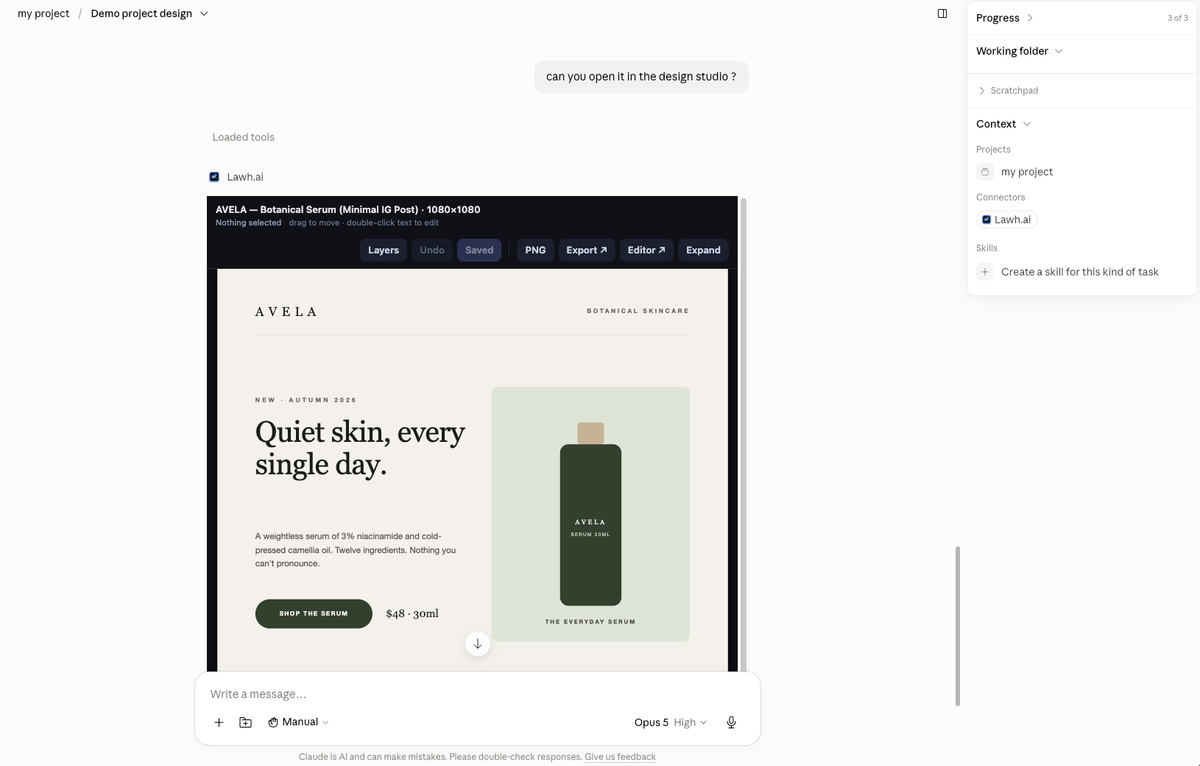
Ask to open it in the design studio and the design becomes interactive inside the chat: select a layer and drag it, double-click text to retype it, then save.
Getting the file
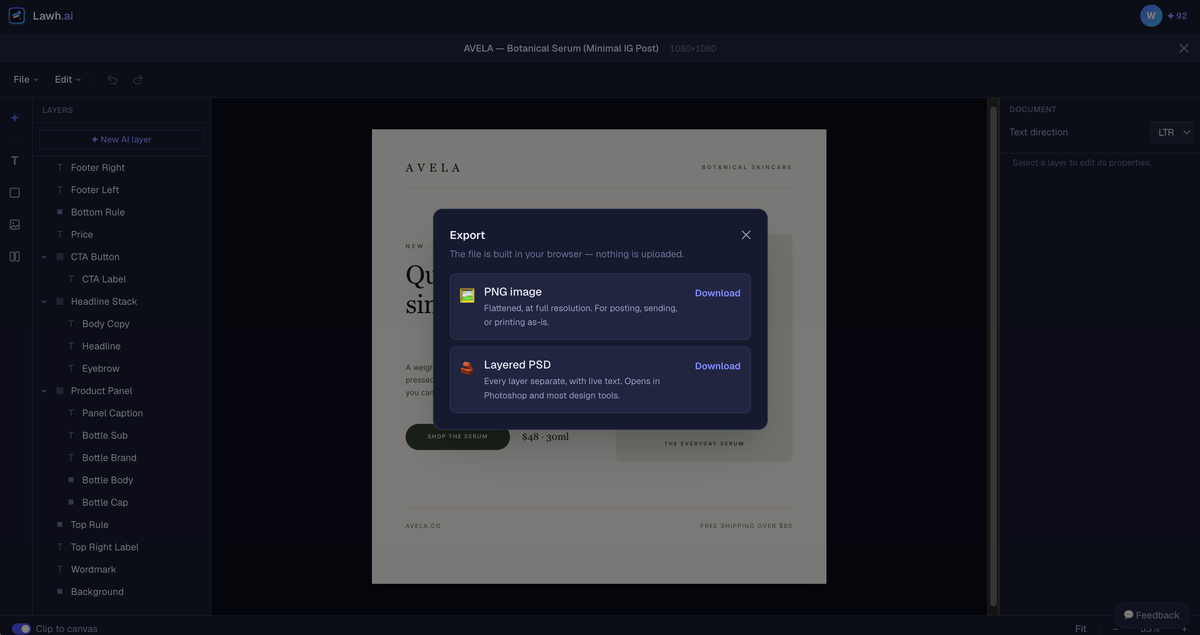
Export opens Lawh with every format it can write. The file is built in your browser — nothing is uploaded.
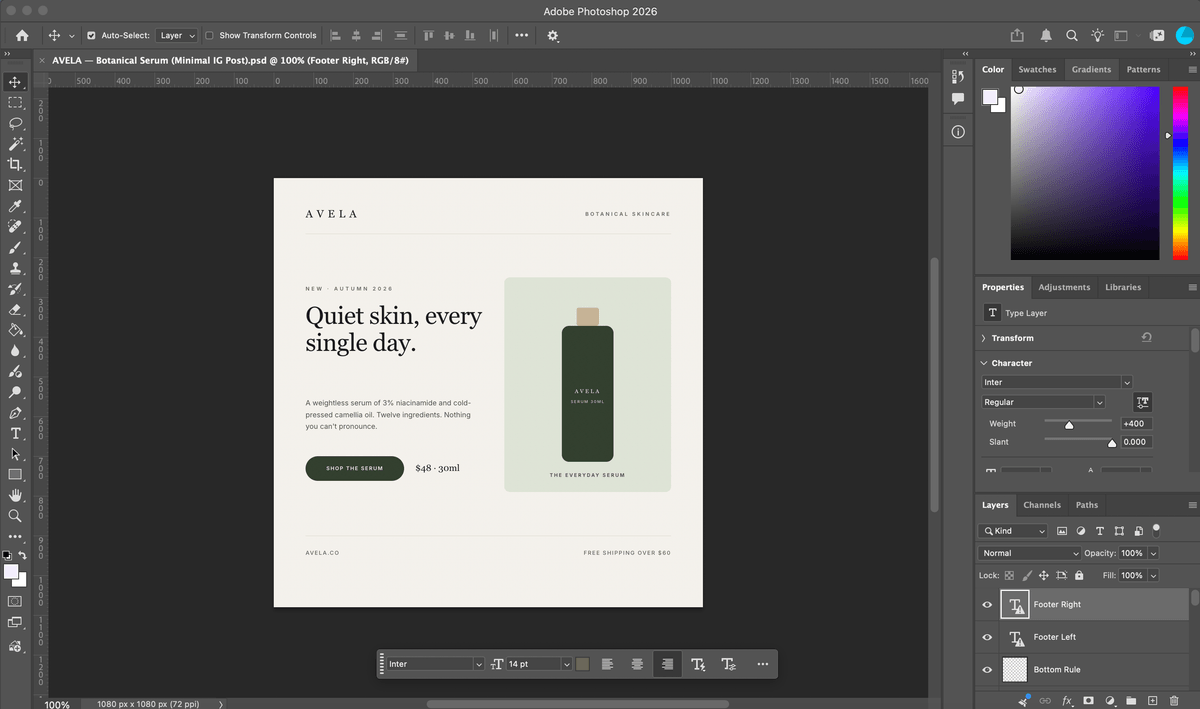
The PSD keeps every layer separate, with live text you can still retype.
What it can do
design_guideThe layer model and style vocabulary the assistant reads before designing.create_designCreates a design in your account and reports any layout or contrast problems.get_designReads a design back, with the coordinates the layout engine computed.update_designChanges a design — copy, colours, sizes, or the whole composition.design_studioOpens the design in the chat, with draggable layers and editable text.preview_designShows a design as an image card.list_designsYour recent designs and their ids.list_folders / create_folder / move_designOrganise designs into folders.list_templates / create_from_templateStart from the hand-authored template library.list_mediaYour uploaded logos and images, so designs use your real brand assets.
What it costs
The assistant does the generating, so designs made this way don’t use your Lawh AI credits. Paid plans get unlimited designs from either host within their storage limit; free accounts get 30 a month.
Access and privacy
Either integration can create, read and edit designs, templates and media in your account. Neither can see your password or billing details. You can disconnect them at any time from Account settings → Connected apps, which immediately invalidates every token issued to it. See our privacy policy.
Don’t have an account yet?
Create one free