
AI logo generator that makes a logo, not a small poster
Describe the brand and get a lockup: a mark drawn for that specific name, the name set as real text you can retype, and clear space around it. Not a headline with a tagline underneath.
No sign-up to try · No credit card required
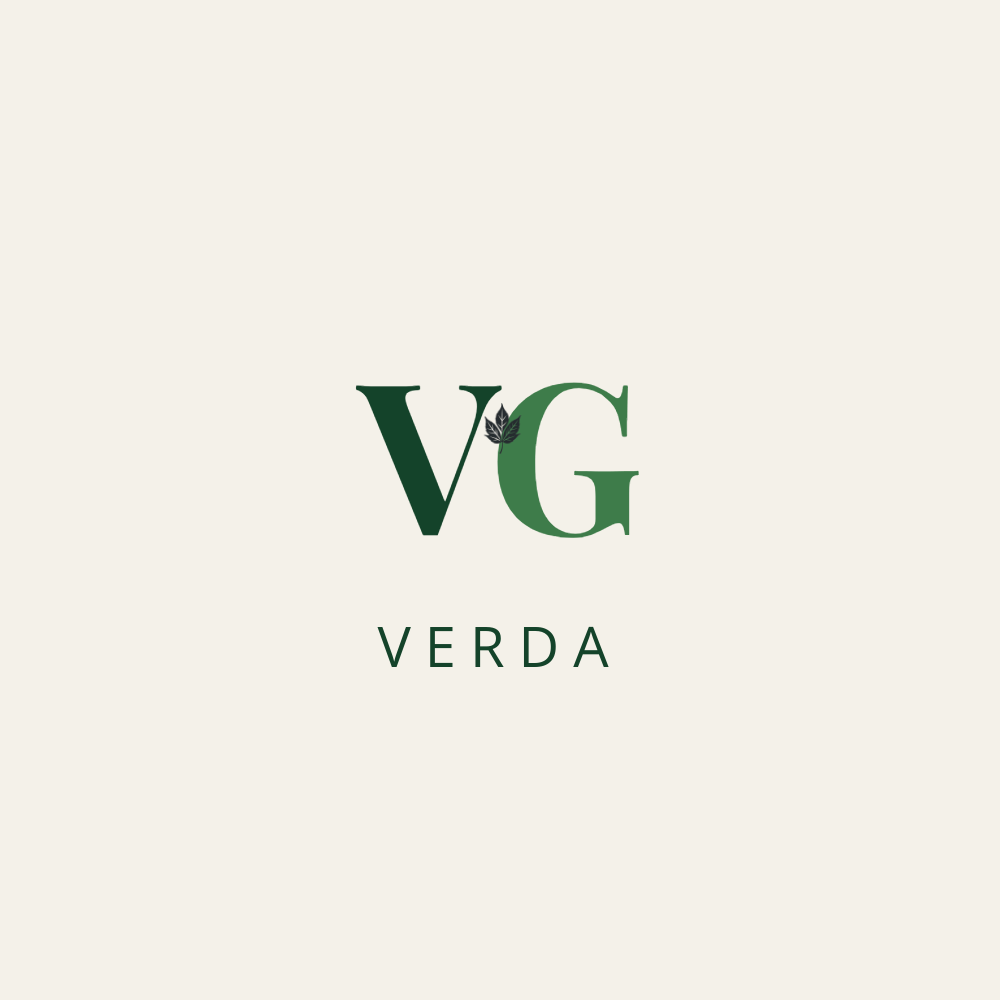
Generated by Lawh.ai — every element is a separate, editable layer.
A mark that means something
The mark is drawn from what the name actually says — a rook for Rook & Ember, wheat for a bakery, an anchor for Anchor Press. When a name offers nothing to draw, you get a wordmark done properly instead of an arbitrary symbol bolted onto it.
Every part stays editable
The mark is its own layer, the name is real text in a real font, and the container behind it is a shape with a colour you can change. Swap the mark, retype the name, or recolour the lot without regenerating anything.
It has to work at 32px and in one ink
No hairlines, no gradients, no drop shadows, no four-colour marks — the things that stop a logo working in a browser tab or stamped on a box. Arabic names are set joined and unspaced, the way they are actually written.
Keep your tools. Add the AI.
Lawh.ai is not somewhere your work goes to get stuck. Every design leaves as a file the software you already use can open.
Frequently asked questions
Can I download the logo as a vector file?+
Yes. Every design exports as a layered Photoshop file (.psd) with live text, and there is an Illustrator (.ai) export in beta where the shapes stay vector — so you can scale the mark to a billboard without it softening.
Do I own the logo it generates?+
Yes, the design is yours to use commercially. As with any generated mark, run a trademark search before you register it — that is a legal check no design tool can do for you.
Can it make an Arabic logo?+
Yes, and properly. Arabic letters are joined rather than spaced apart, the layout mirrors right-to-left, and the name stays editable text rather than a picture of Arabic that nobody can correct.
Can I use my own font or colours?+
Pick the fonts before you generate and save your brand colours as a palette; the generator uses them instead of choosing its own. You can also change both afterwards in the editor, because the text is still text.